
API response
API Client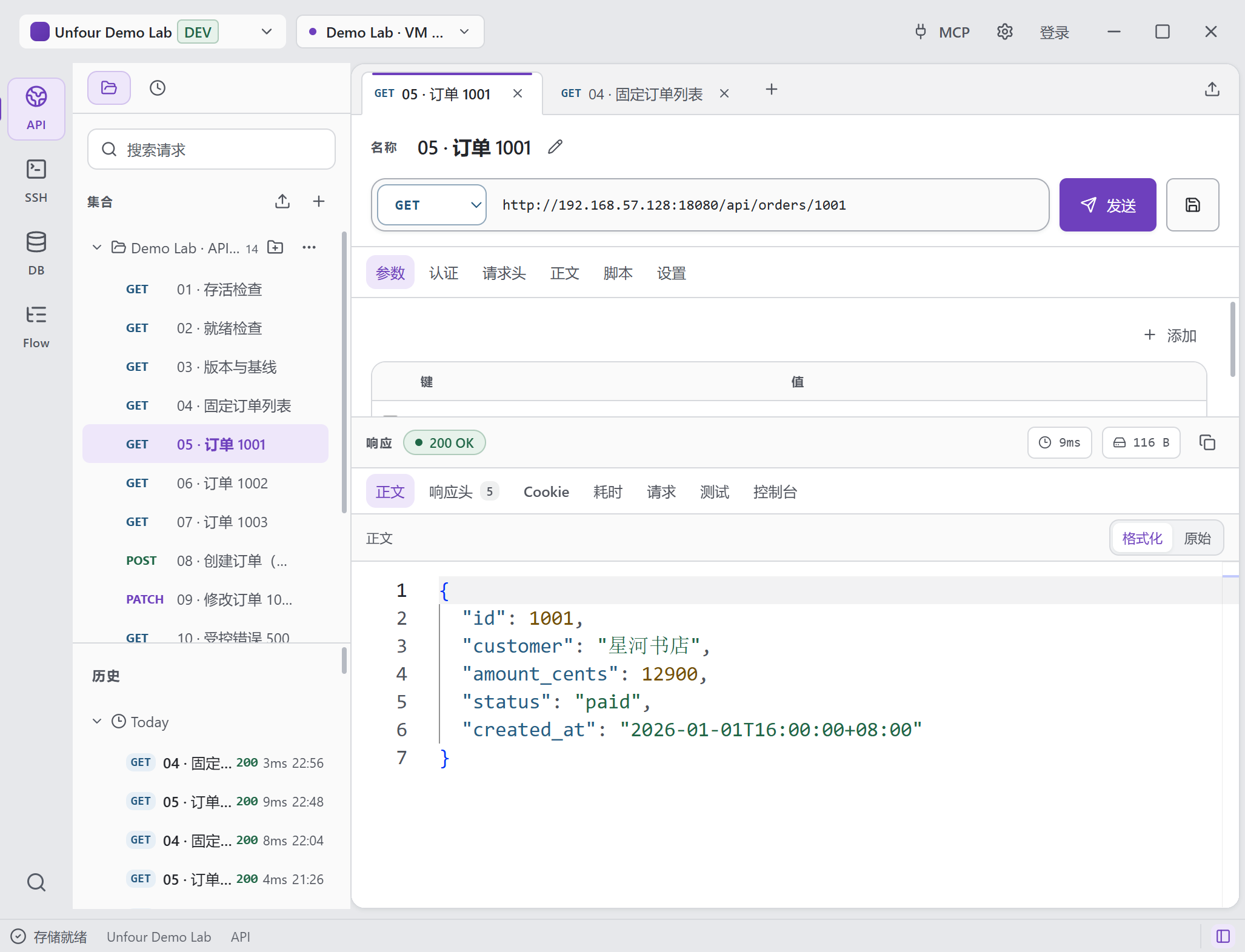
The GET request returned 200 OK. The JSON includes the order ID, amount and payment status.
View full screenshotLocal-first · Backend / DevOps
Getting unexpected data from an API? Replay the request, read the server logs, and check the matching database record in the same local workspace.
Link those checks in Flow and run them again after you fix the code.
You can also use MCP to let Codex / Cursor access the tools in the same workspace.
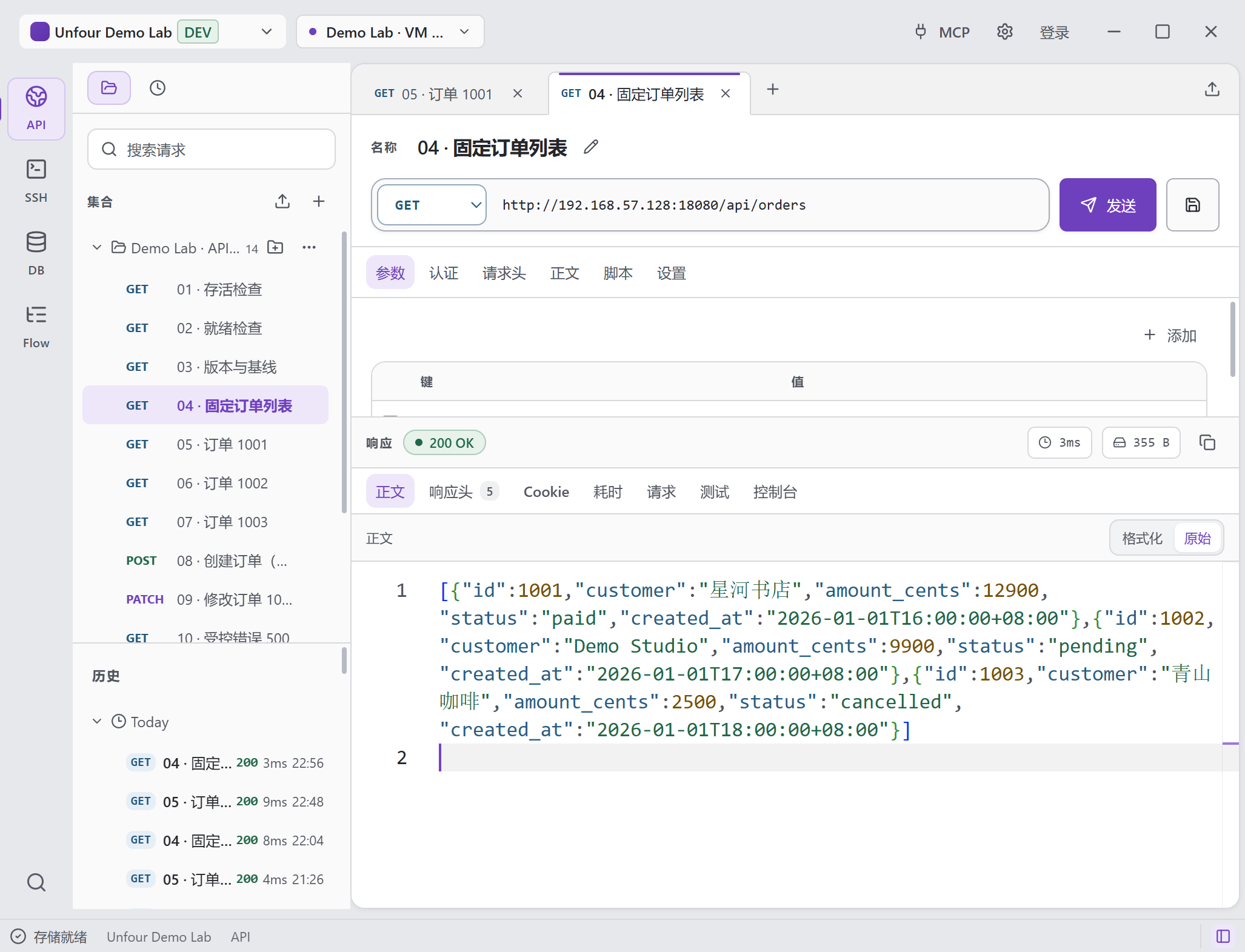
A real Demo Lab workspace: saved requests and history beside the three orders returned by the API. The screenshots use demo data and the Chinese desktop interface.
Open full-size image to inspect detailsThe API returns “paid” for order 1001. Run the saved SQL query and compare the matching row in the orders table.
The GET request returned 200 OK. The JSON includes the order ID, amount and payment status.
View full screenshot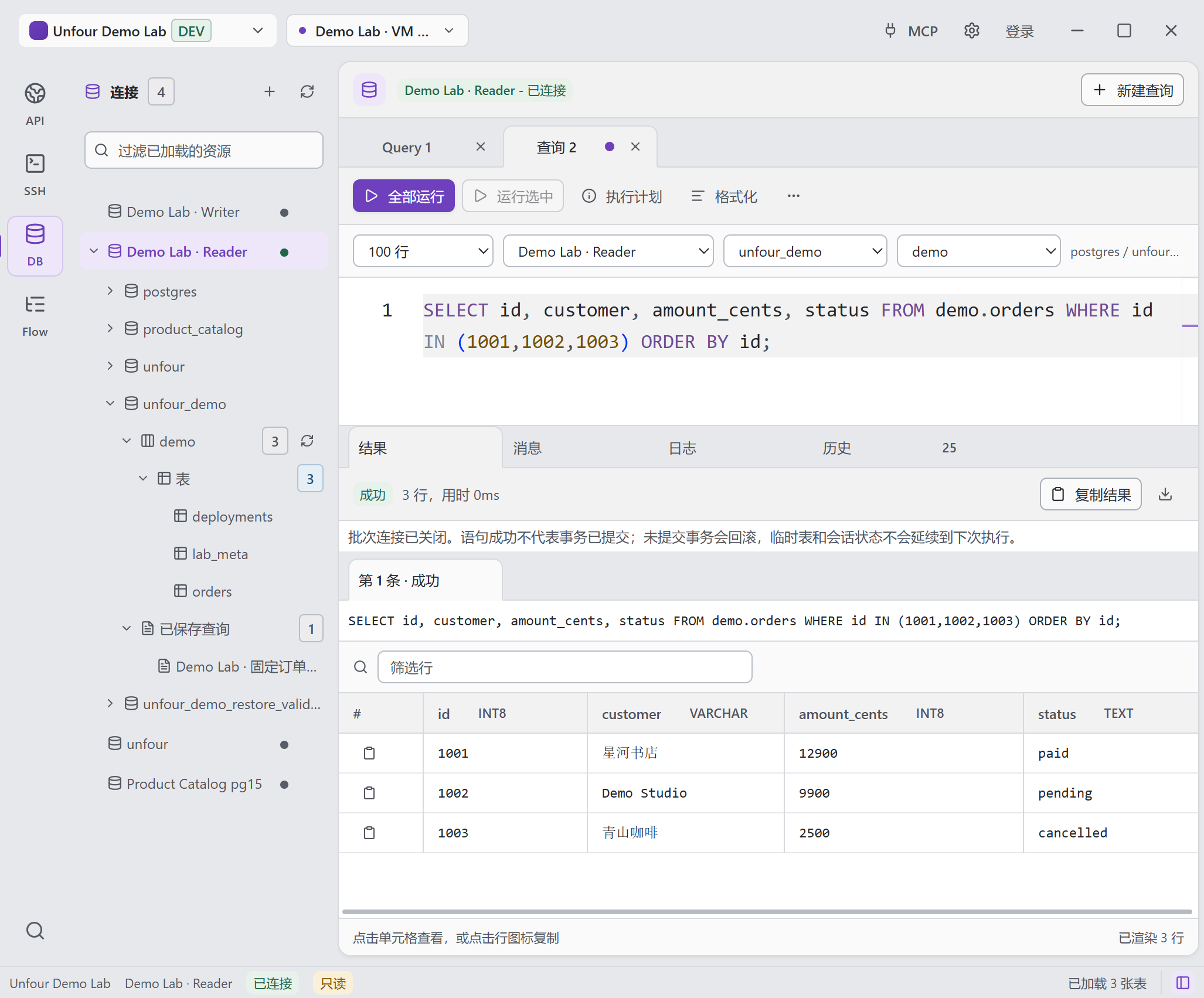
The query returned three orders. The first row is order 1001, also marked paid.
View full screenshotKeep a shell open while you browse the server over SFTP. Here, pwd shows the shell in /root while the file browser lists /srv/unfour-demo/files.
SSH Terminal and SFTP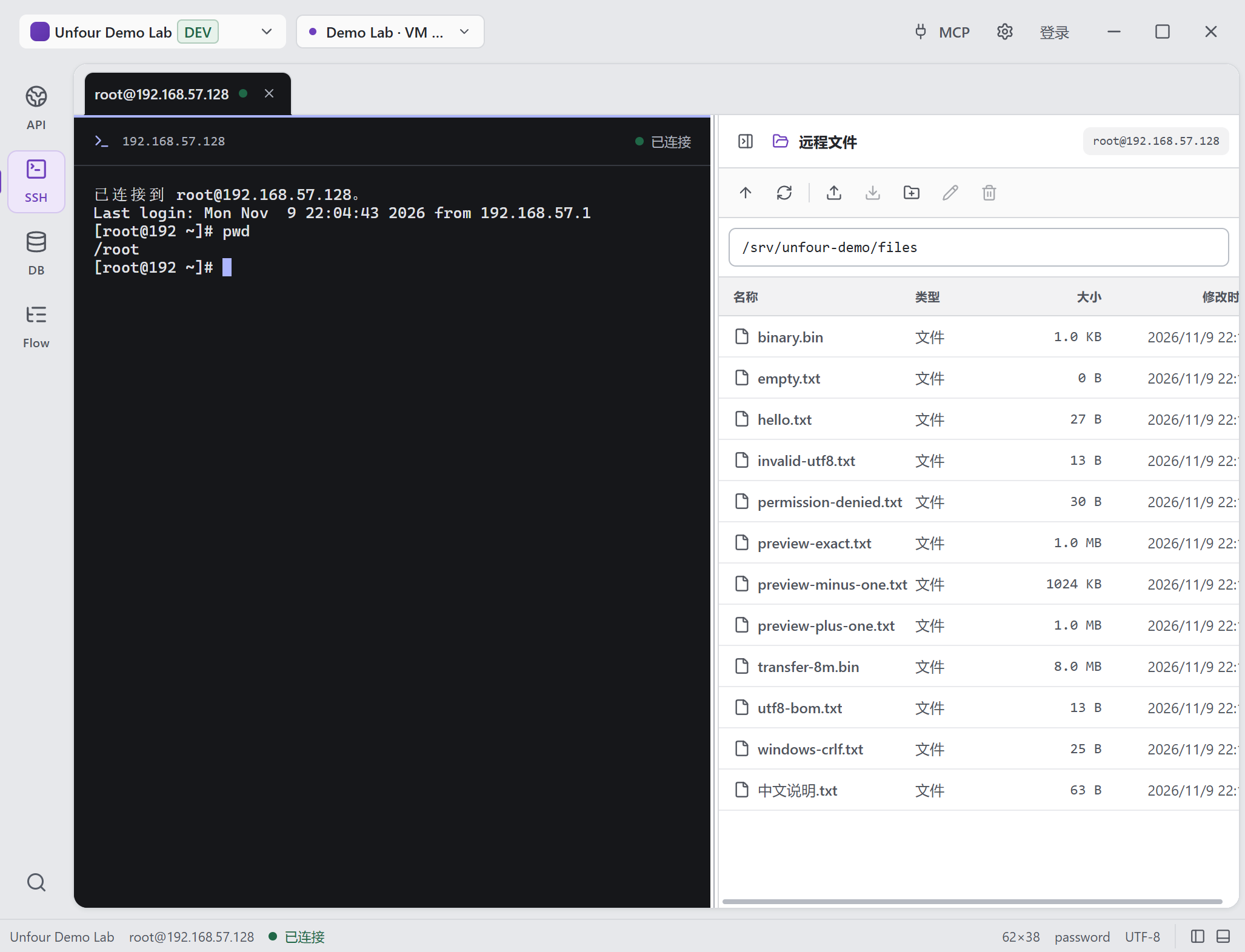
Detail of the Demo Lab SSH session. The remote directory contains hello.txt and other sample files.
View full screenshotThis Flow checks API health, runs a deployment task over SSH, then waits for the service to be ready. Its last two steps read the version and query the database.
How Flow runbooks work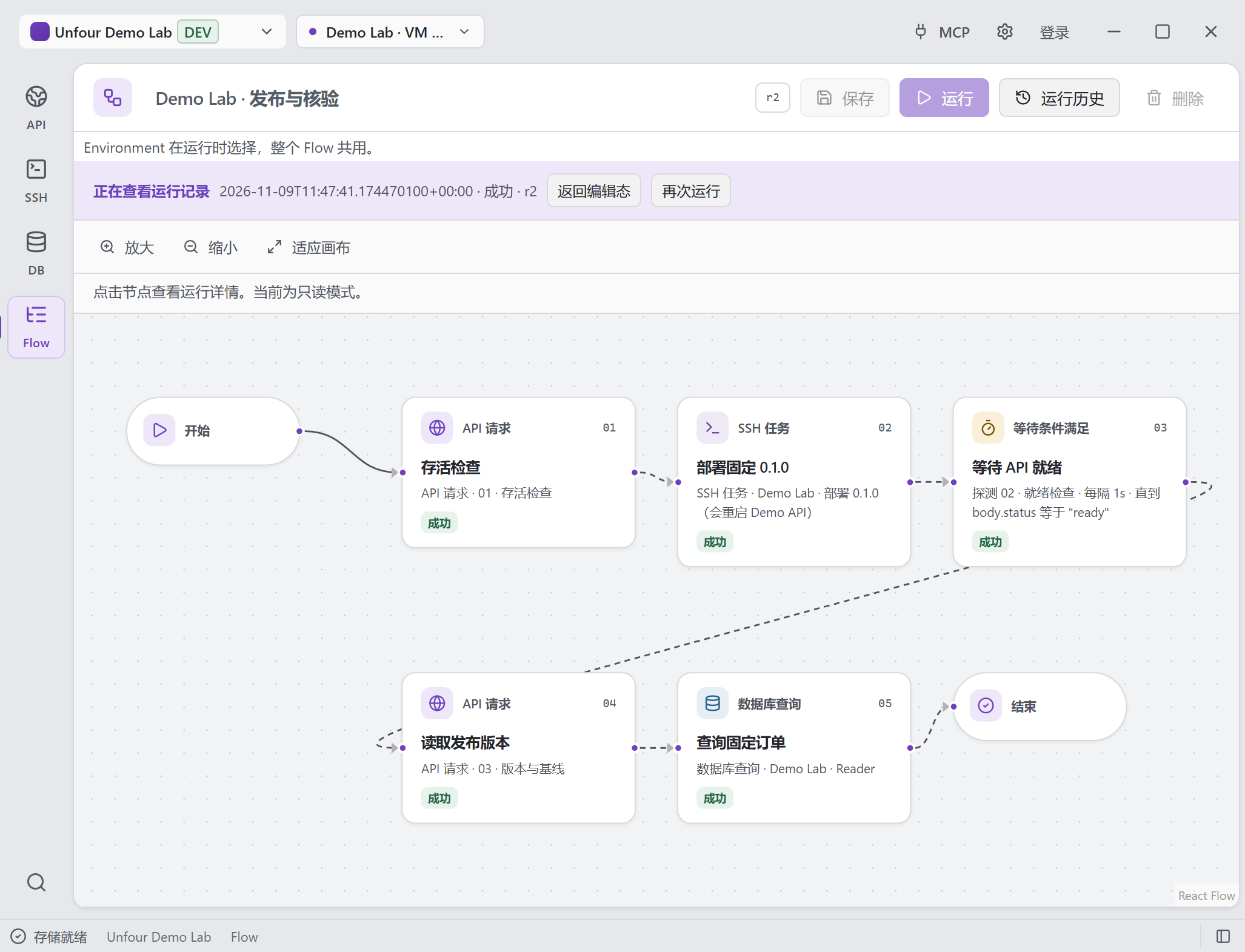
All five steps succeeded in this run. Open a step in the app’s run history to inspect its inputs and result.
Open full-size image to inspect detailsSee it in action
See the requests, server logs, and database queries used to investigate one bug and check the fix.
Shared project context
Separate tools keep their own requests and connections. Unfour groups API requests, SSH and database connections, and environments in one workspace, ready for you, Flow, or an MCP client to reuse.
Desktop UI
Send a request, open a terminal, or query the database. Open views refresh after committed MCP changes; supported editors retain drafts for review.
Start with a workspaceMCP connection
Connect Codex or Cursor to organize API requests and Saved SQL, then reuse saved connections and environments. Workspace MCP policies govern the tools it can call.
Connect Codex or CursorFrom code changes to backend checks
Codex and Cursor use Unfour’s local MCP server to inspect API responses, SSH logs, and database state with your saved connections. Their own coding tools apply reviewed changes; Unfour supplies the runtime checks.
Explore MCP capabilities and safetyBefore a change: gather evidence from requests, server diagnostics, and queries.
After a change: re-run the failing request and relevant checks against the selected environment.
Through Flow: manage and execute the same local runbooks and inspect their run history.
You choose the workspace and MCP policy; those policies control available tools and risky actions.
Local-first
Pro adds optional Cloud Sync for supported data, enabled per workspace. Flow definitions can sync; run history, actual inputs/outputs, credentials, and device-local configuration stay local.
✓ Local desktop app
✓ Device-local SSH and database credentials
✓ Saved project context
✓ Optional per-workspace Cloud Sync
Open source
The core desktop tools are open source under Apache-2.0. Inspect the code on GitHub, see what has shipped, and review how Unfour handles data and permissions.
Fit, free tools, local data, and getting started.
Saved requests, connections, and environments stay in one project workspace. Move from an API error to server logs and database queries, then repeat the checks after a fix. Flow and MCP reuse those resources; you choose which evidence is relevant.
See an API → SSH → Database investigationYes. API Client, SSH / SFTP, Database Explorer, Flow, MCP, and local workspaces are free and open source. Optional Pro adds Cloud Sync for supported workspace data in the same application.
Compare Free and ProYour workspace is stored locally by default. Pro sync is optional and enabled per workspace; credentials and execution history stay local. Remote connections use the network, and results shared with an MCP client can contain sensitive data.
Read data and sync boundariesNo. The desktop tools work directly. For AI assistance, guided MCP setup supports Codex and Cursor; other clients need manual local stdio configuration. Workspace policy controls access, and you review the target and results.
See MCP setup and permissionsYes. Save API requests, SSH Tasks, and SQL checks as a local runbook with conditions and run history. You define the steps and interpret the results; Unfour does not automatically correlate evidence or choose a fix. MCP Flow execution requires confirmation and is blocked by read-only policy.
Learn Flow steps and limitsWindows x64 and Apple Silicon or Intel Macs. Linux x64 AppImage is also downloadable but remains Experimental. The standalone Windows installer is unsigned; macOS packages are unsigned and not notarized.
Choose a platform and read installation notesReplay a request, read server logs, and check database records in one local workspace. Save the checks in Flow to run them again after a fix.